 Preener
The AI writing assistant for Chrome
Click the bird in any text box on the web, pick what you need, and your text is fixed right where you typed it.
Free on the Chrome Web Store. One account for Chrome, Android and the web.
What it does
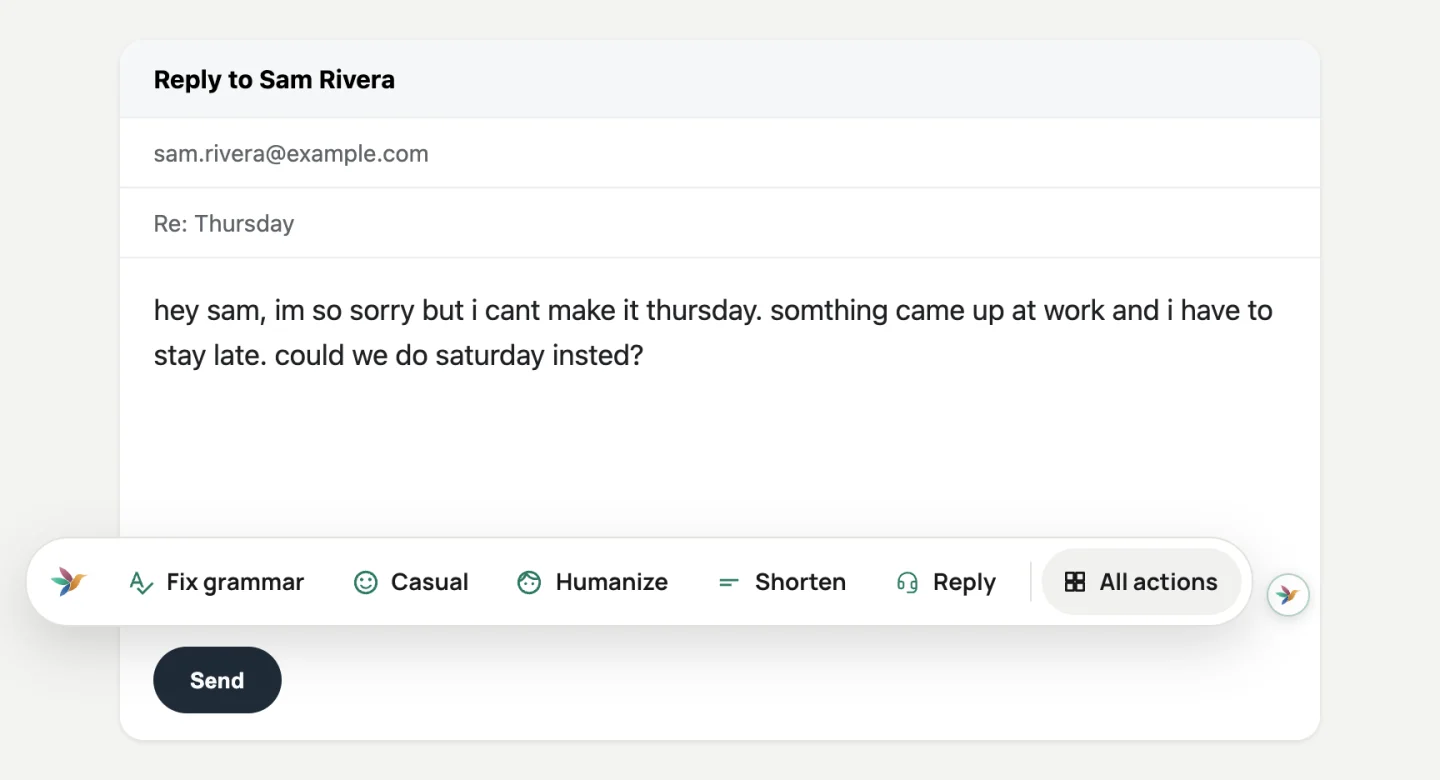
The bird in every text box
Email, chat, forms and comment boxes. Click the bird and choose Fix grammar, Humanize, a new tone or a reply.
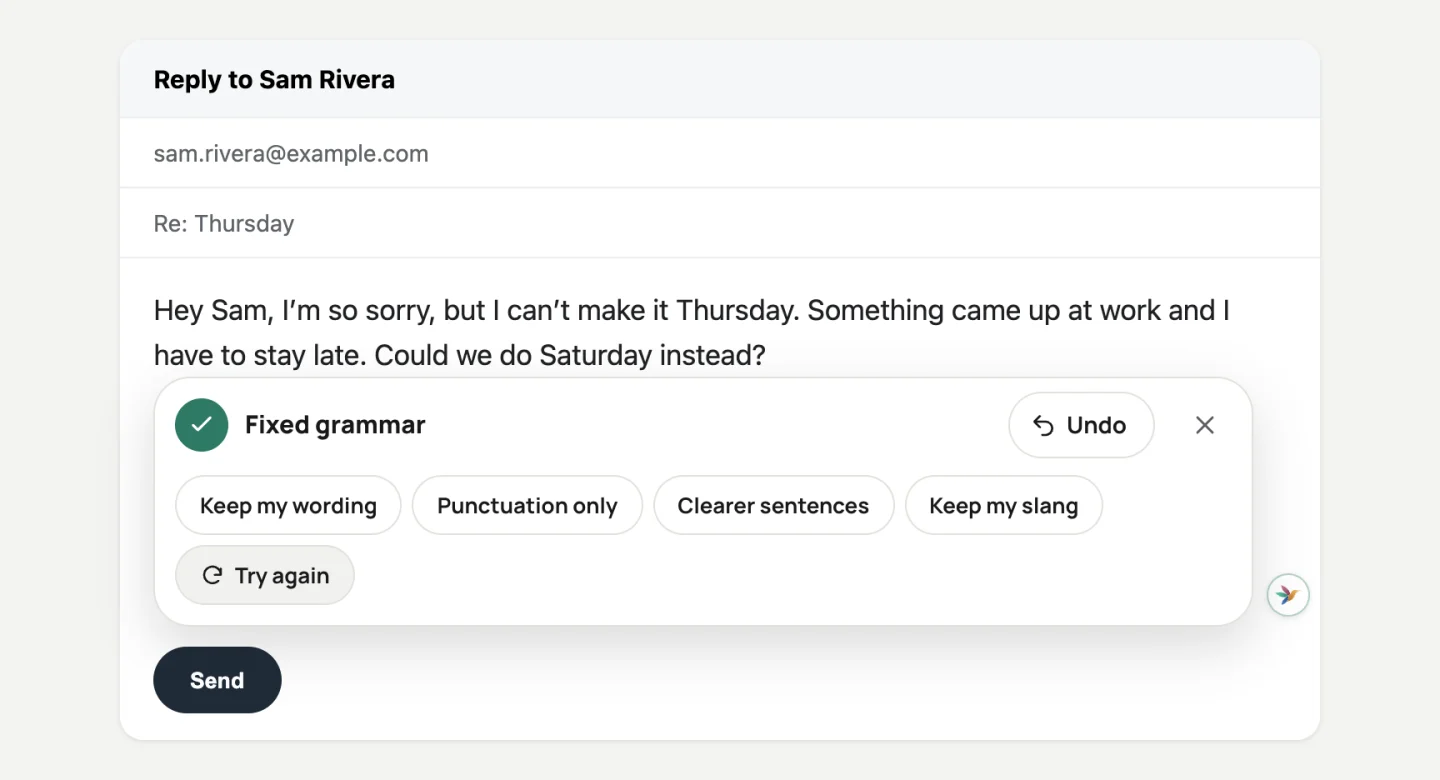
Fixed in place, with Undo
The new text replaces yours in the same box. One click on Undo puts your words back.
Works in Gmail and Google Docs
It also works in the editors that aren’t ordinary text boxes, like Google Docs and Outlook on the web.
107 writing actions
Cover letters, replies, apologies, captions and more, from the side panel. See them all
Your typing stays yours
Read the privacy policySent only when you ask
Nothing you type is sent until you pick an action.
Passwords are off-limits
The bird never appears in password or other sensitive fields.
No ads
We don’t sell your data or show you ads.
Ready in a minute
Add it to Chrome
Install Preener AI Writing Assistant from the Chrome Web Store.
Sign in
Use the same Google account or email as the Android app.
Click the bird
Open any text box, click the bird and pick an action.
Questions, answered
Which sites does it work on?
Most places you type on the web, including Gmail, Google Docs and Outlook. It stays out of password fields and other sensitive fields.
Do I need the Android app too?
No. The extension works on its own. If you also use the app or preener.ai, it’s the same account, plan and saved writing.
Is it free?
Yes. The free plan includes AI help every day. Pro gives you about 10,000 AI actions a month on every device.